



Transfer store ownership
Hand full control of your store to an existing staff member instantly, or invite someone new by email.
On this page
Only the current store owner can start a transfer, and you'll need to confirm your password. Collaborators aren't offered as transfer targets. This is a single-store action — it's different from a partner's "Transfer to client" hand-over of a client transfer store, whose invitation stays open for 30 days.
Open "Transfer ownership"
Go to Settings → Users (the Users tab). As the owner, you'll see a "Transfer ownership" button in the page header.
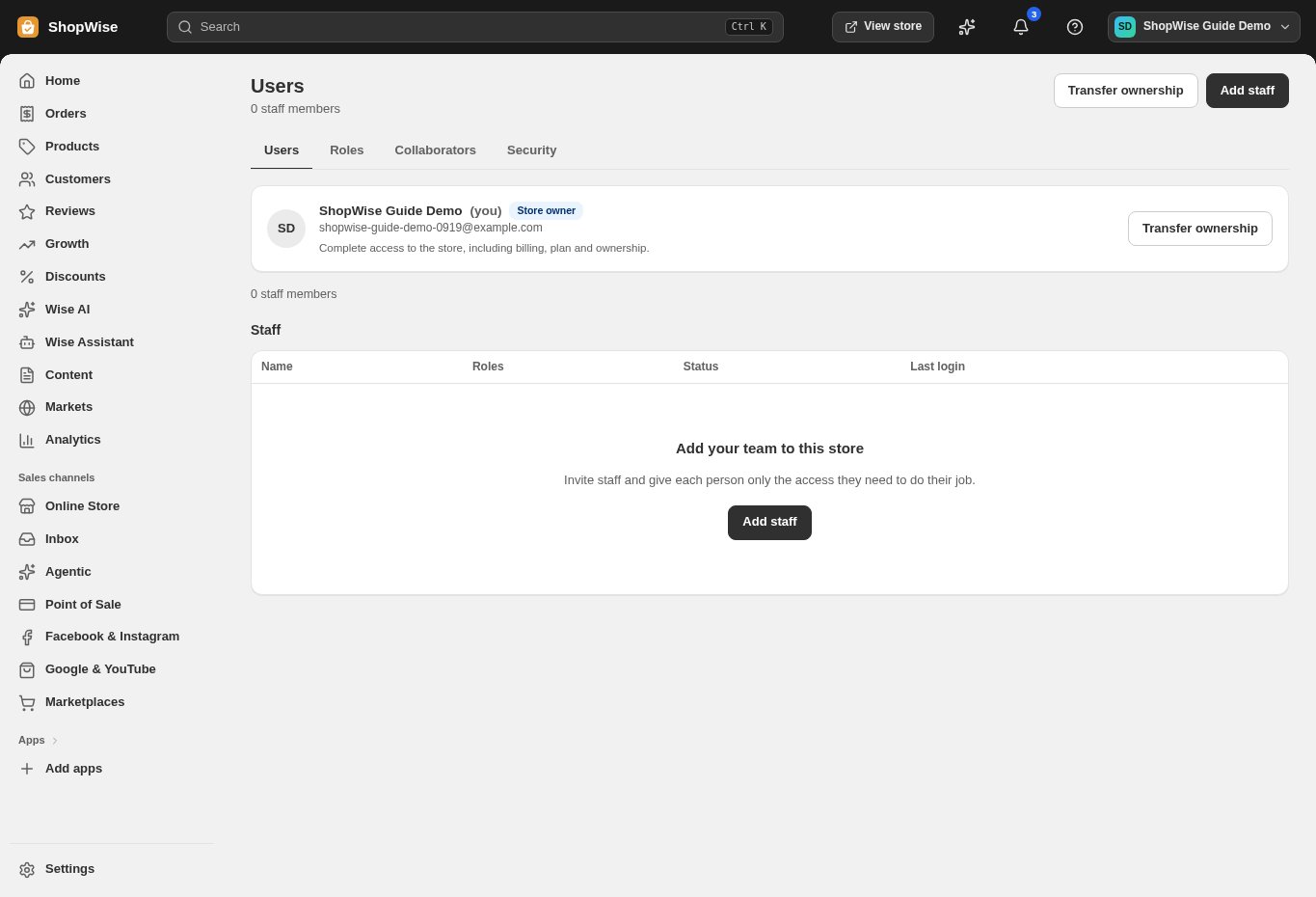
Choose who to transfer to
Pick "An existing staff member" to transfer instantly, or "Someone else, by email" to send an invitation. Only active staff who aren't collaborators are offered for an instant transfer; the email option is for someone who isn't on your staff list yet.
- An email invitation expires in 7 days, and only one invitation can be pending at a time.
Confirm your password
Enter your current password in the confirmation field, then select Transfer ownership (for an existing staff member) or Send invitation (for an email transfer).
Know what happens next
An instant transfer takes effect immediately: the staff member becomes the owner, your account becomes an administrator, and you both get a confirmation email — "This can't be undone by you afterwards." An email transfer instead shows a banner on the Users tab — "Ownership transfer pending — an invitation went to <email> (expires <date>). Nothing changes until they accept" — with a Cancel transfer button.
After the transfer
The new owner has full control of the store — staff, billing and settings. Your own account isn't removed; it becomes an administrator, which keeps everything except the owner-only actions such as transferring ownership.
CHECK YOUR WORK
You’re ready when…
- You picked the right person — an instant transfer to an existing staff member cannot be undone by you.
- A pending email transfer is cancelled from the Users tab if you change your mind before it's accepted.
IF SOMETHING DOESN’T LOOK RIGHT
Troubleshooting
I don't see "Transfer ownership" anywhere.
Only the current store owner sees this button — not even an Administrator does. Confirm who the store owner is on the Users tab.
No one appears under "An existing staff member."
Only active staff who aren't collaborators are offered for an instant transfer. Add the person as staff first, or use "Someone else, by email" instead.
Can I transfer ownership to a collaborator?
Collaborators aren't offered as transfer targets. If you want a partner to own the store, add them as a regular staff member (or use the email option with an address that isn't already on your staff list).
Can I cancel an email invitation after sending it?
Yes — the pending-transfer banner on the Users tab has its own "Cancel transfer" button, available any time before the invited person accepts.