Decide the offer type, discount amount, applicable products, start and end dates, and how much margin you can afford.
Open Discounts
Select Discounts, then start a new discount. Choose the type that matches your offer. The example shows an Amount off products discount.
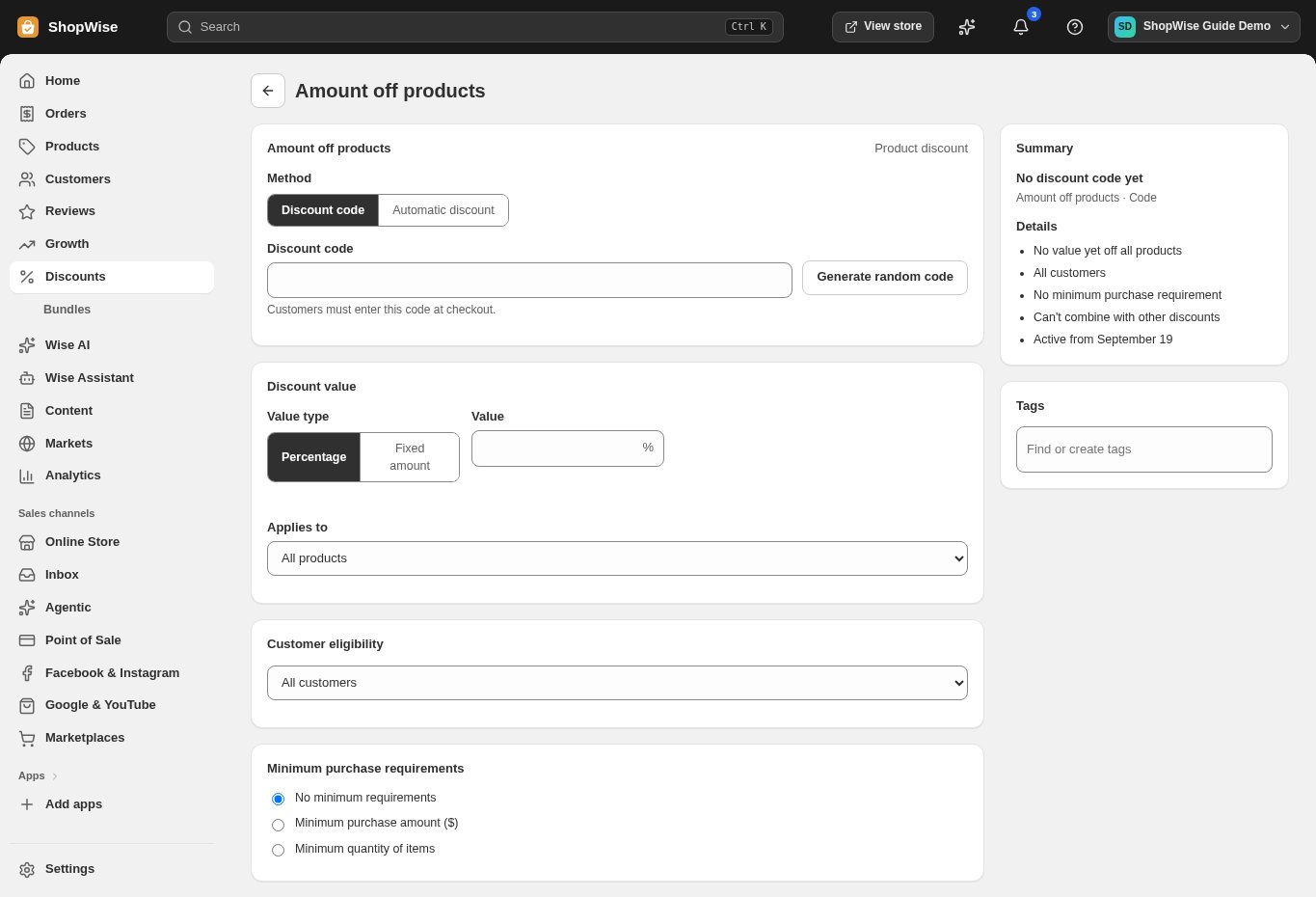
Set the method and value
Choose Discount code when customers should enter a code, or Automatic discount for a qualifying automatic offer. Enter a code and choose Percentage or Fixed amount as appropriate.
Define who and what qualifies
Review eligible products and customers, minimum purchase requirements, usage limits, and combination settings. Set the active dates and check the summary to the side of the form.
Save and test
Save the offer, then test a qualifying cart and a non-qualifying cart. Confirm the discount amount, shipping, tax, and any interactions with other offers before sending the code to customers.
CHECK YOUR WORK
You’re ready when…
- Check the date range, eligibility rules, or campaign conditions.
- Test using a qualifying product and a non-qualifying example.
- Review the customer-visible result before promoting an offer.
IF SOMETHING DOESN’T LOOK RIGHT
Troubleshooting
I cannot find this page or action.
Check the store shown at the top of the admin. On a phone, open the navigation menu first. Ask the store owner to confirm your permissions and whether the feature is available for this store.
The discount does not apply.
Check the start and end dates, qualifying products, minimum purchase, customer eligibility, usage limit, and combination settings. Test a cart that meets every rule; a discount should not apply outside those conditions.
What should I send support?
Send your store address, the page you were using, the steps you took, and the exact error text. Include a screenshot with private customer details hidden. Do not share passwords, API keys, or full payment information.