You need the provider’s merchant approval and supported currency. Confirm commercial terms directly with the provider.
Review payment providers
Open Settings → Payments. Inspect the available buy-now-pay-later provider controls.
- Use credentials for the correct merchant account and environment.
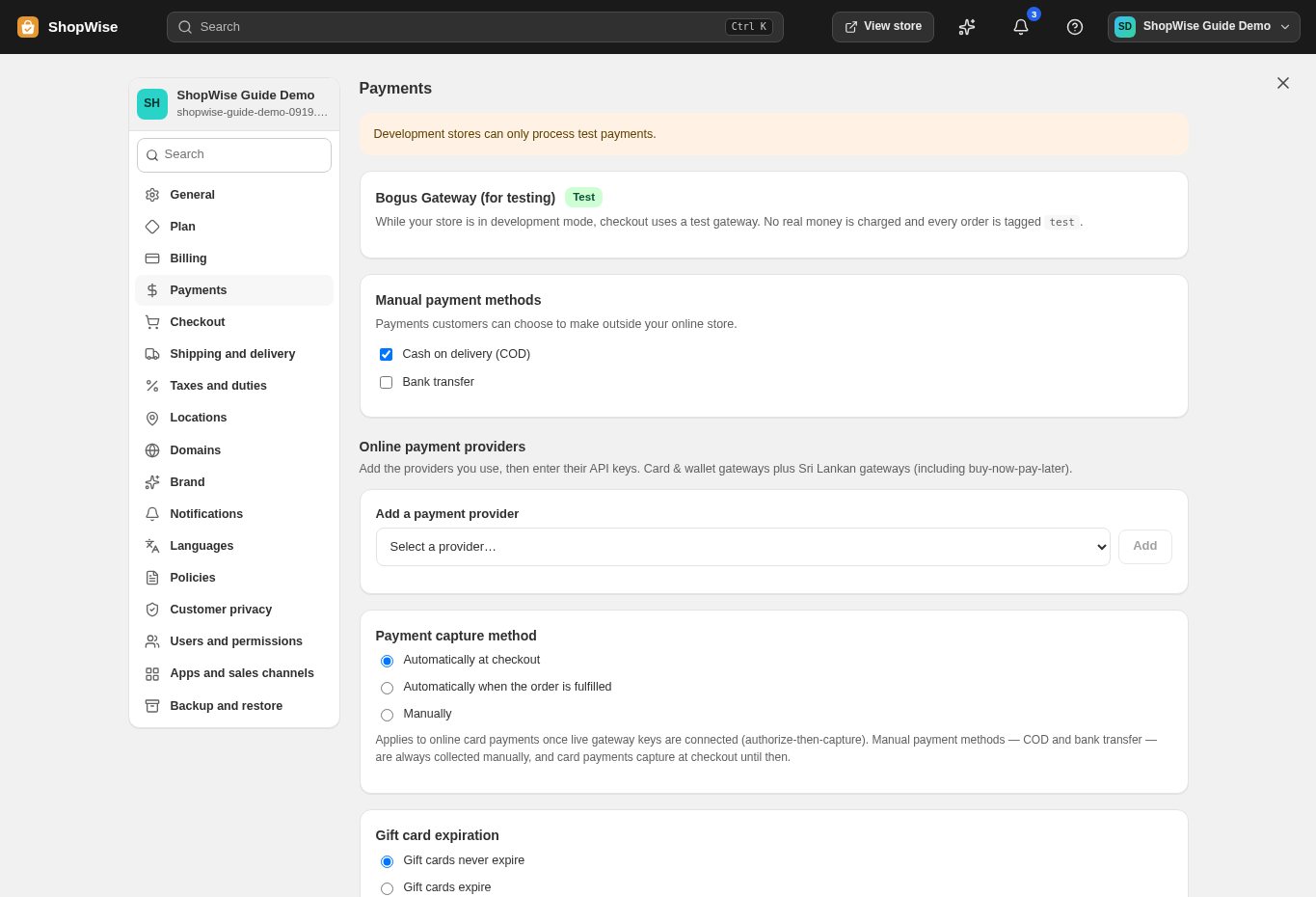
Configure a connection
Enter the requested fields for an approved provider and save. Follow the provider-specific setup instructions supplied for your account.
- Keep secret keys private.
- Ask support if a required callback or environment setting is unclear.
Review bank plans
Open Easy payment plans when available. Add a provider and review its tenors and other plan fields.
- Enter only the installment terms your business is authorized to offer.
Test eligibility and reporting
Test an eligible checkout and confirm the payment outcome. Use Payment plan reports to review provider and tenor activity.
- A displayed installment choice does not establish provider approval or guarantee settlement.
CHECK YOUR WORK
You’re ready when…
- Provider approval and store configuration agree.
- An eligible checkout and its payment record have been verified.
IF SOMETHING DOESN’T LOOK RIGHT
Troubleshooting
Why is a payment option missing at checkout?
Check activation, currency, order eligibility, and merchant credentials. Ask support to inspect the configuration without sending secrets through public messages.
Why is a control missing or unavailable?
Confirm that you are in the correct store and that your role allows this action. Optional apps and channels may require installation, a plan, or activation. Share the screen name and error with support if access is still unclear.