Prepare the regions, delivery coverage, and currencies your business supports.
Create or inspect a market
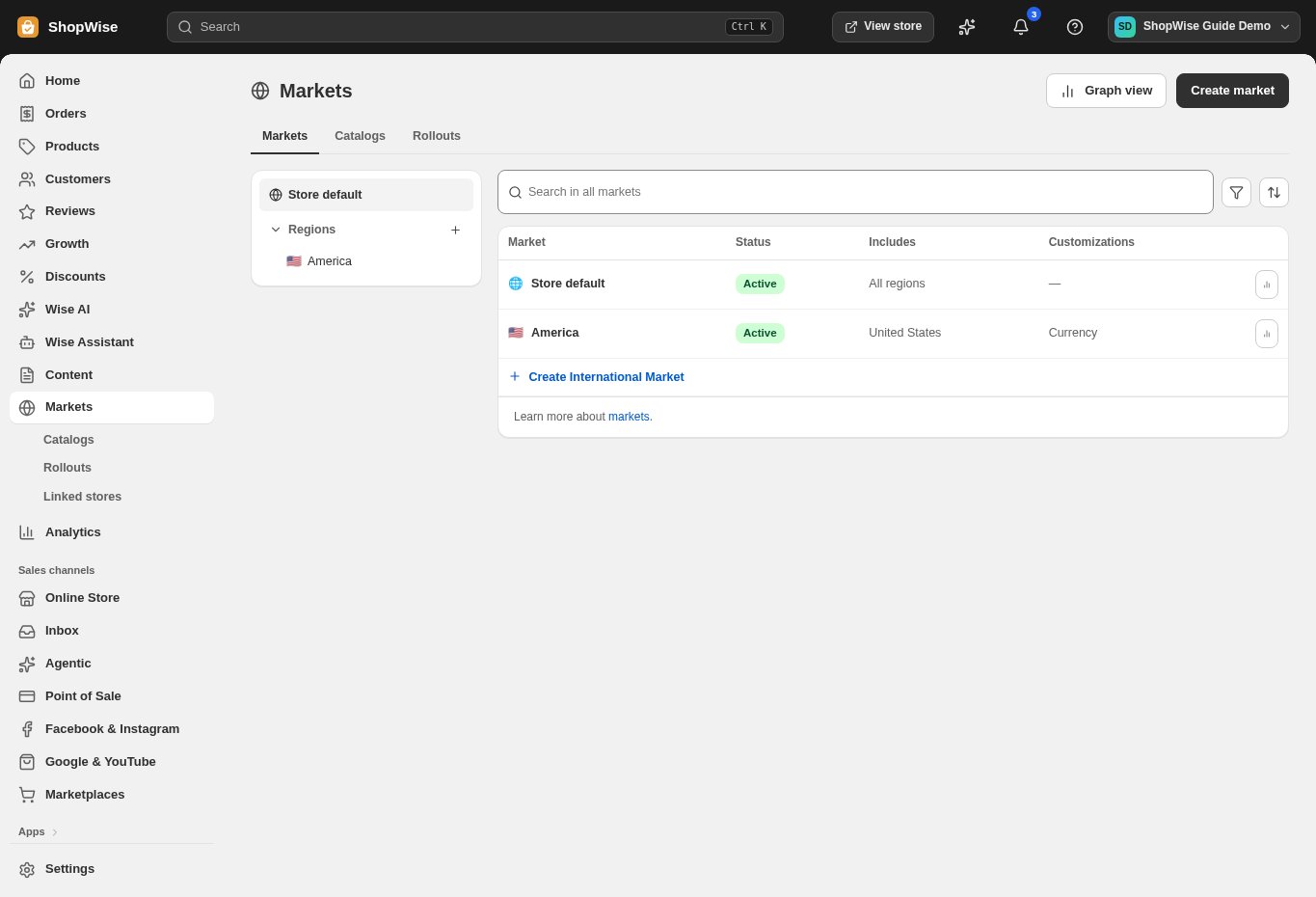
Open Markets. Review Store default, then open an existing market or choose Create market.
- Give the market a clear name and set its region conditions.
Review inheritance
Inspect Customized and Inherited settings. Change only the settings that should differ from the store default.
- Verify currency, language, shipping, and customer privacy where offered.
Review catalogs and changes
Use Catalogs to inspect attached pricing. Use Rollouts to review scheduled or grouped changes before applying them.
- Check the setting key and new value for each rollout change.
Test the region
Save and test the storefront and checkout using a representative destination in the market.
- An active market still needs valid shipping and payment coverage.
CHECK YOUR WORK
You’re ready when…
- Regions and overrides are intentional.
- A customer in the target region can complete the intended checkout.
IF SOMETHING DOESN’T LOOK RIGHT
Troubleshooting
Why did a market change when I edited a default?
Inherited settings follow the store default. Inspect the market’s Customized and Inherited sections before overriding a value.
Why is a control missing or unavailable?
Confirm that you are in the correct store and that your role allows this action. Optional apps and channels may require installation, a plan, or activation. Share the screen name and error with support if access is still unclear.