Partner accounts are separate from merchant admin access. Use a business email you control. Joining is free; only what you publish is reviewed.
Create a partner account
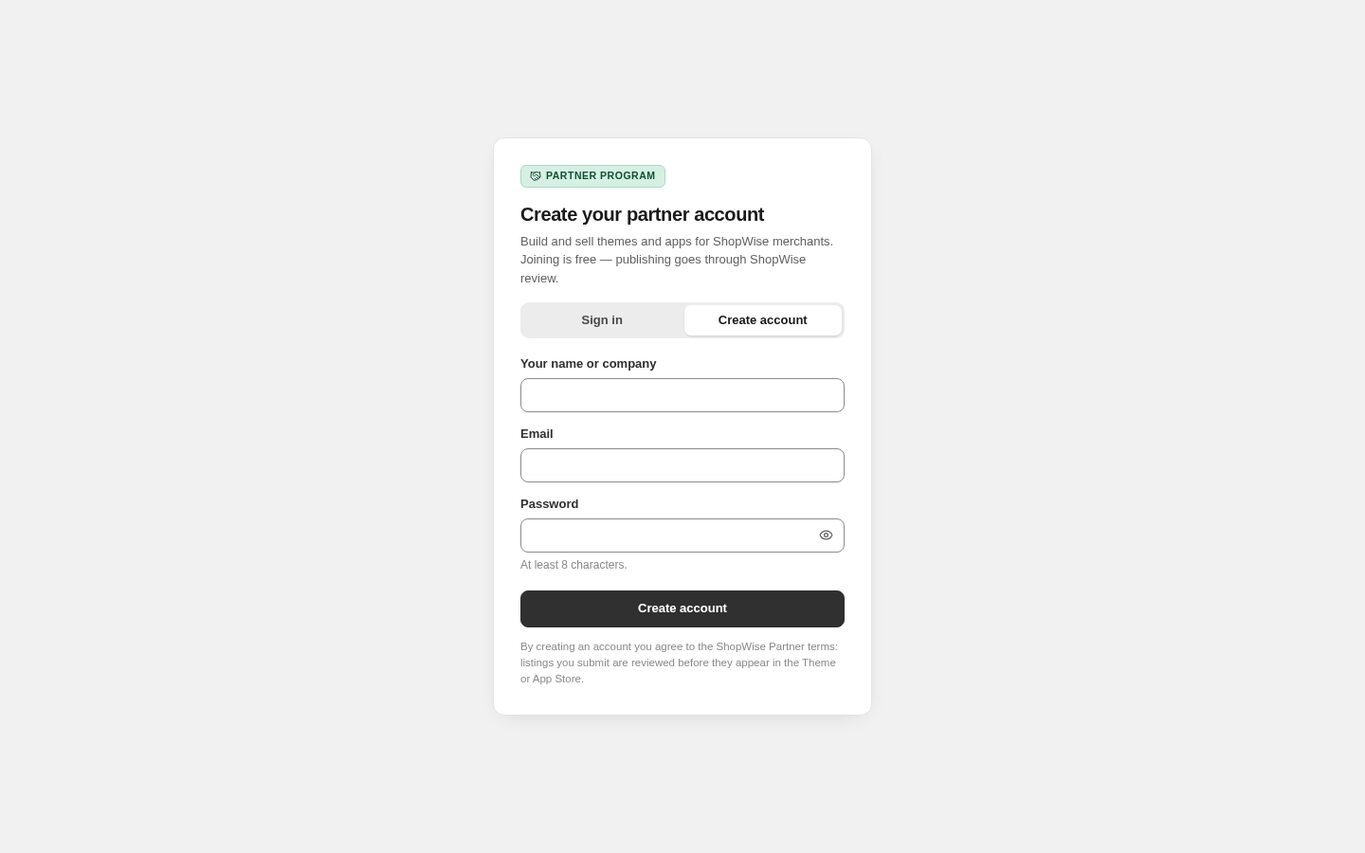
Open partners.lulu.us.com and choose Create account. Enter Your name or company, your email, and a password of at least eight characters, then choose Create account.
- The name you enter is shown to merchants as the maker of your listings.
- There is no approval step for the account itself; you are signed in straight away.
- If the email is already registered the form says so on the email field. Use Sign in instead.
- A self-signup account can submit both themes and apps.
Open the dashboard
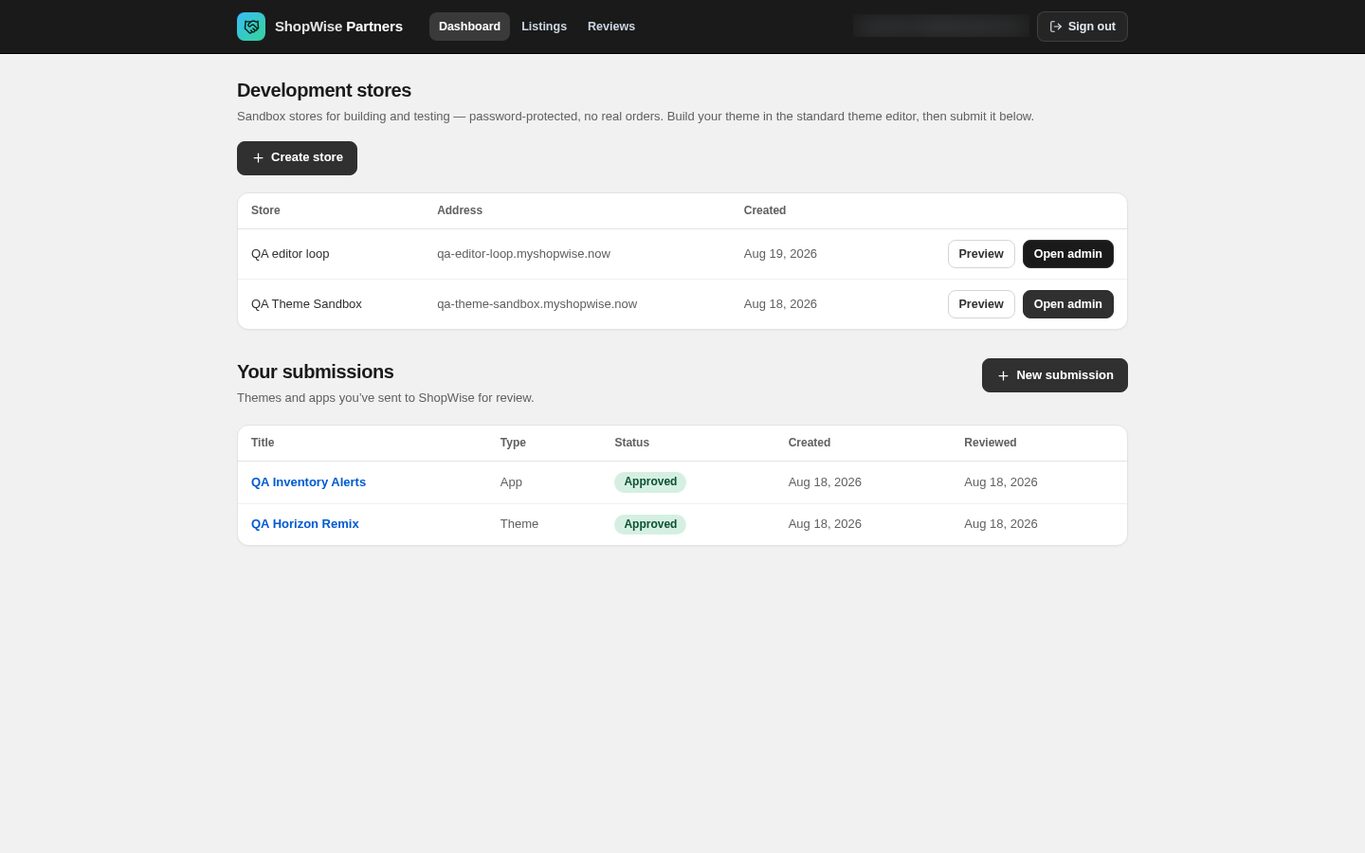
After signing in you land on the Dashboard. It has two sections: Development stores at the top and Your submissions below. The top bar links to Dashboard, Listings and Reviews.
- Submissions you have not sent yet stay in Draft and are private to you.
Create a development store
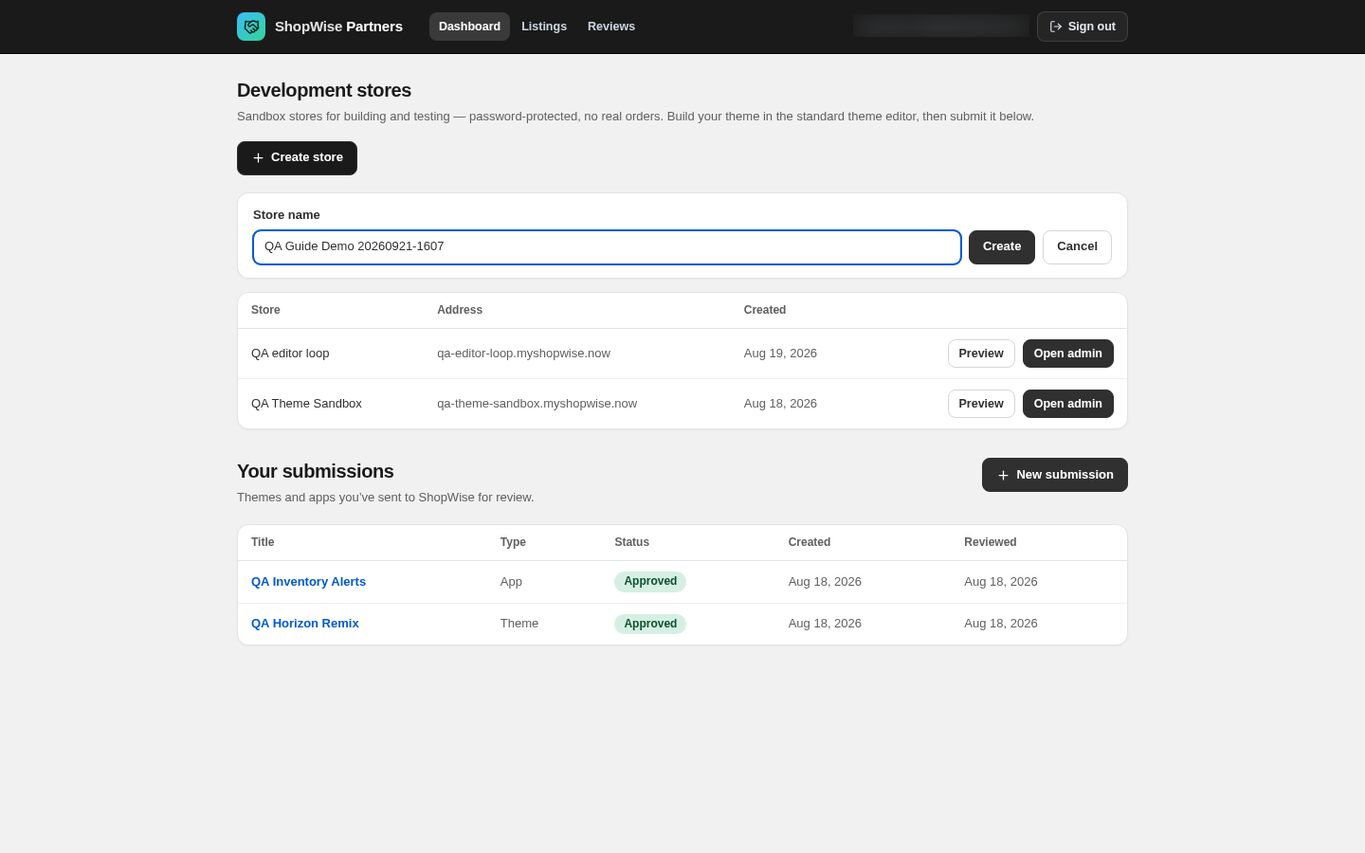
Under Development stores choose Create store, enter a Store name of 2 to 60 characters, and choose Create. The store address is derived from the name, for example aurora-sandbox.lulu.us.com.
- A development store is a real Lulu store in development mode: the storefront is password protected, search and AI crawlers are off, and a sample catalog is seeded.
- You can hold five development stores at a time. Contact Lulu support to raise the limit.
- Use demonstration products and customer details only.
- Creating a development store does not publish anything to the public Theme Store or App Store.
Open the store admin
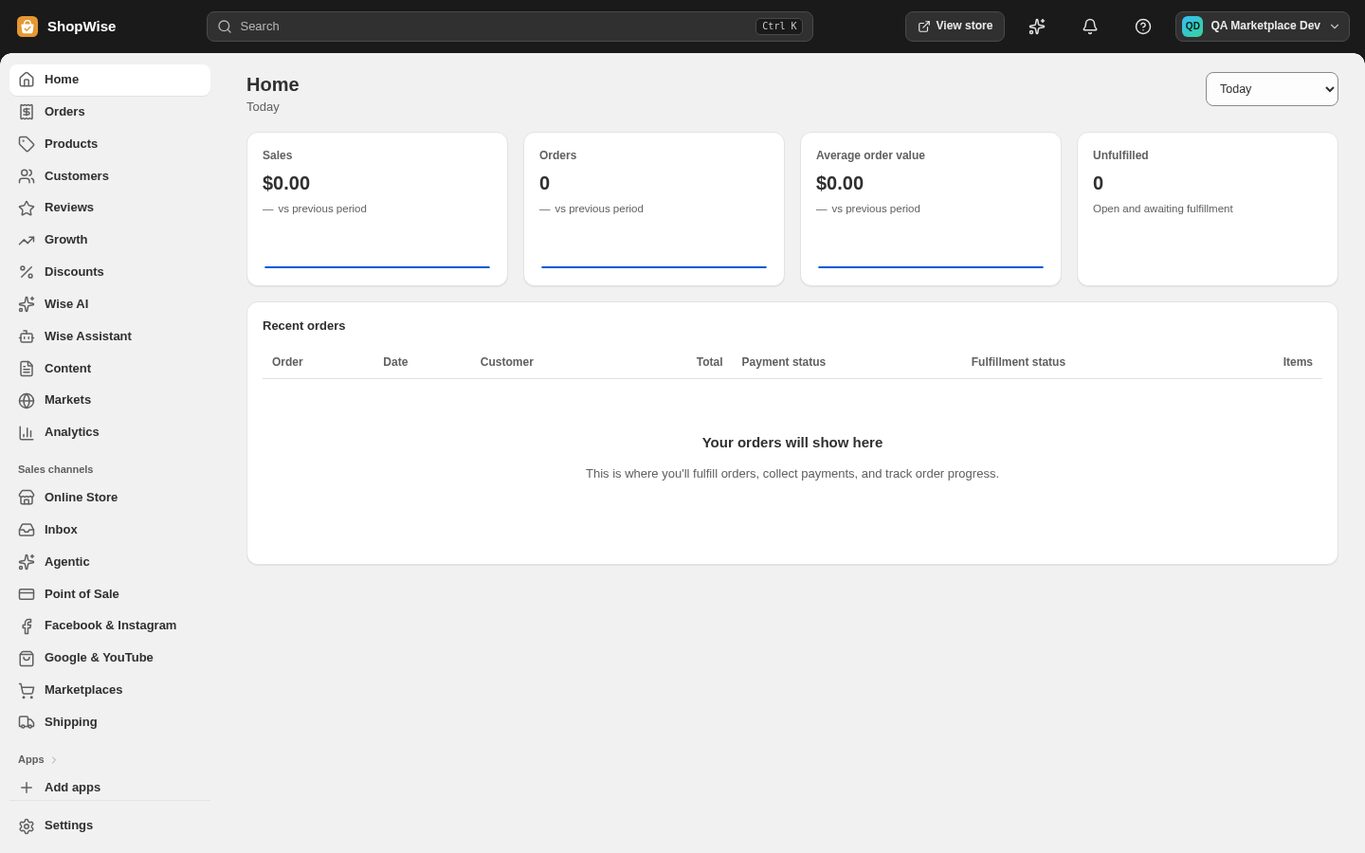
Choose Preview to open the storefront, or Open admin to open the store admin. Open admin is a signed single-use handoff, so you never type a store password.
- You enter as a Collaborator on that store, not as its owner.
- The admin opens at admin.lulu.us.com/store/<handle> with the standard navigation.
- If a store owner suspends your collaborator access, Open admin returns an error instead of restoring it.
CHECK YOUR WORK
You’re ready when…
- You can sign in to the partner dashboard.
- A development store exists and its admin opens from the dashboard.
IF SOMETHING DOESN’T LOOK RIGHT
Troubleshooting
Why is the portal showing a provisioning or access notice?
The partner service is not ready on that environment. Follow the notice and contact support with your partner email if it persists.
Why was my development store refused?
Each partner account can hold five development stores at a time. Ask Lulu support to raise the limit, or reuse an existing store.
Why is a control missing or unavailable?
Confirm that you are in the correct store and that your role allows this action. Optional apps and channels may require installation, a plan, or activation. Share the screen name and error with support if access is still unclear.
Keep going
- Partners: upload and submit a theme →
- Partners: submit an app listing →
- Partners: build a theme in a development store and export it →