Have a public-ready storefront. Search engines decide when and how to index pages.
Review indexing
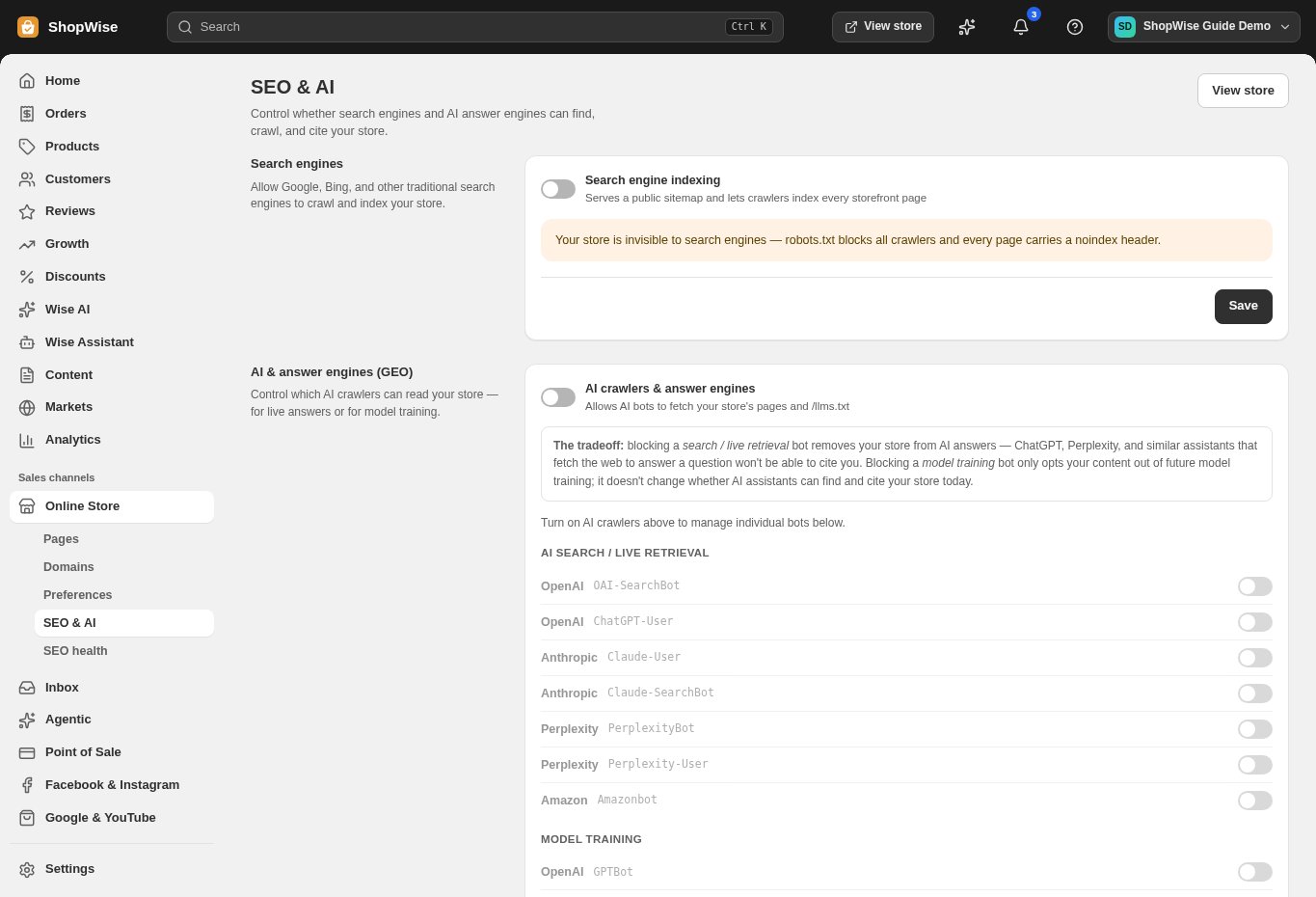
Open Online Store → SEO & AI. Review Search engine indexing and save the intended setting.
- A private or unfinished store should not be treated as ready for public discovery.
Set search appearance
Review the home page title, meta description, and social-sharing image in SEO & AI or Preferences.
- Describe your business accurately.
- Use a local uploaded sharing image and check the preview.
Review crawler choices
In SEO & AI, review AI crawler and answer-engine controls separately from search-engine indexing.
- Choose the access policy you actually want; enabling a crawler does not guarantee a mention.
Repair old paths
Use Online Store → Preferences → URL redirects for changed addresses. Enter the old path and intended destination.
- Open the old URL to test the result.
- Use SEO health to review remaining product issues.
CHECK YOUR WORK
You’re ready when…
- Indexing and crawler choices are intentional.
- Titles, descriptions, and redirects have been checked.
IF SOMETHING DOESN’T LOOK RIGHT
Troubleshooting
Why is my store not appearing in search yet?
Check password protection and indexing first. Search-engine discovery is not immediate or guaranteed; changes in Lulu do not force a search-engine update.
Why is a control missing or unavailable?
Confirm that you are in the correct store and that your role allows this action. Optional apps and channels may require installation, a plan, or activation. Share the screen name and error with support if access is still unclear.
Keep going
- Pages: publish About, Contact, and information pages →
- Store access: password protection and preview links →