You need a development store. There is no separate partner theme tool — you build in the same editor merchants use.
Open the theme
In the development store admin open Online Store. The live theme is at the top; the rest are under Draft themes. Choose Edit theme on a draft, or Customize on the live theme.
- Work on a draft while you build, so the storefront preview stays stable.
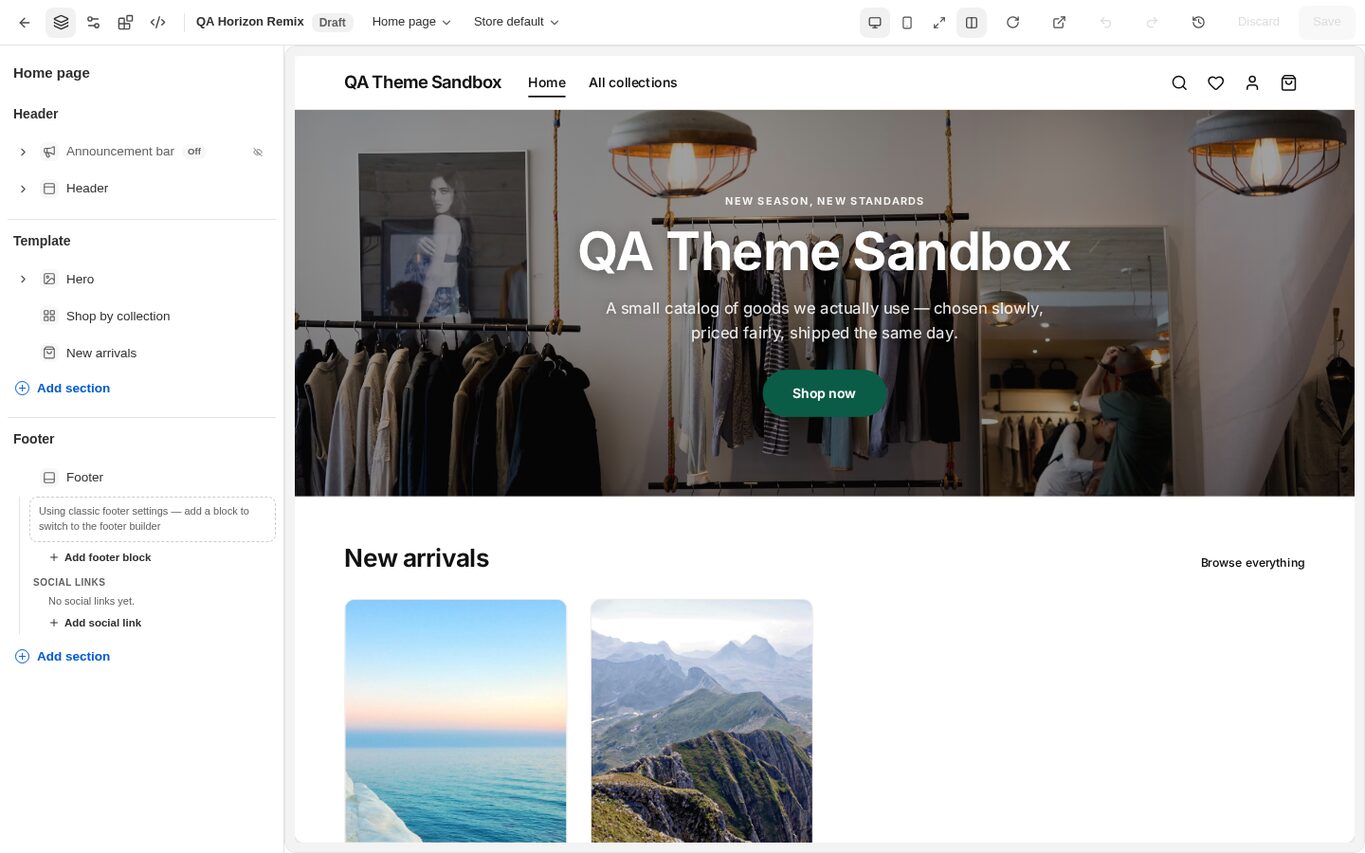
Build the theme
Add, reorder and configure sections and blocks in the left-hand tree, and set theme settings. Save when the preview is right.
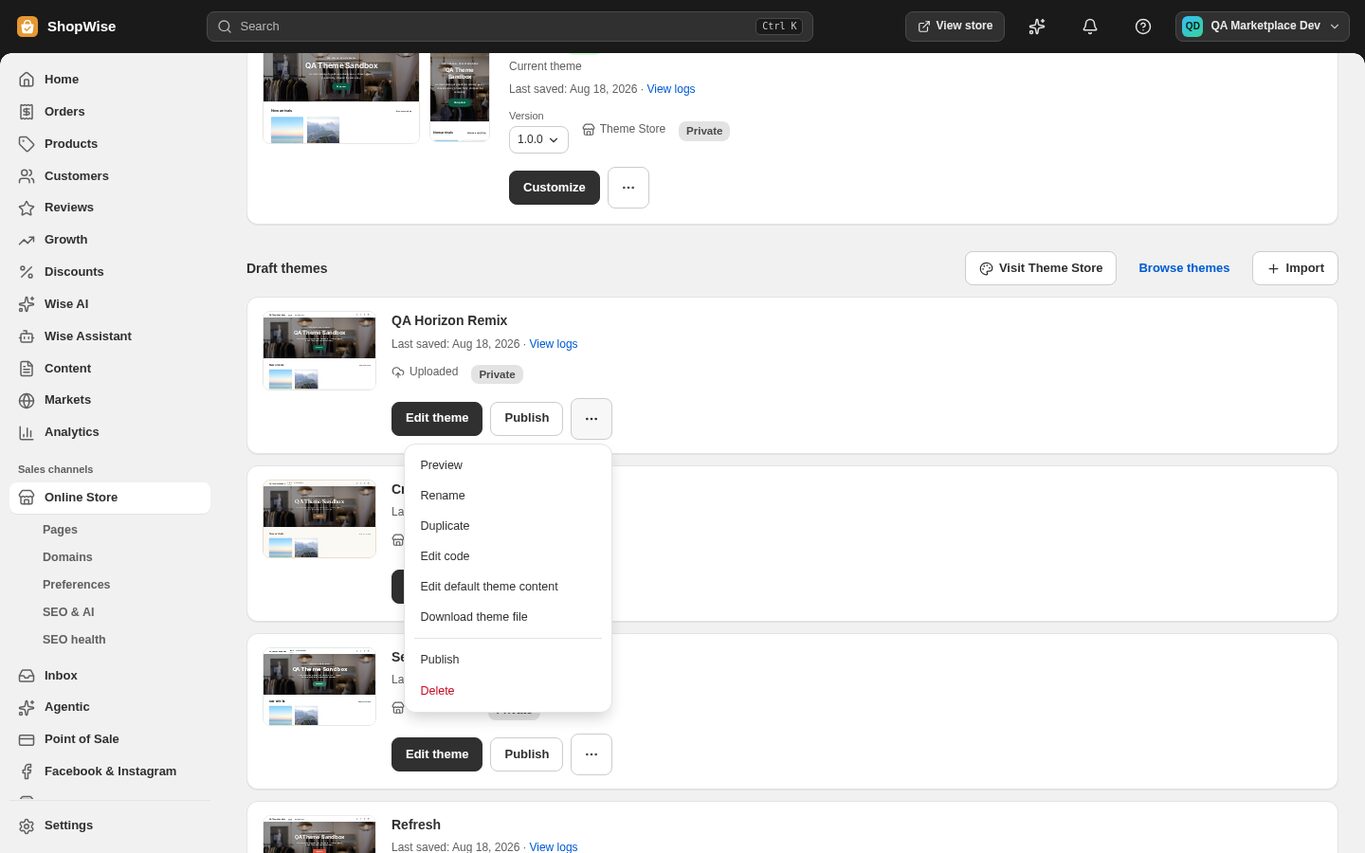
- Custom code lives under the theme's “…” menu → Edit code: custom CSS, custom JavaScript up to 100,000 characters, and head snippets up to 20,000 characters.
- Test the storefront itself, not only the editor preview.
Download the theme file
Return to Online Store, open the “…” menu on the theme and choose Download theme file. You receive theme_export__<store>__<theme>__<date>.zip.
- Keep the download: a published theme package has no stored release history and no rollback.
Know what is inside the package
shopwise-theme.json at the root of the zip is the only file Lulu reads back. The config, templates, sections, assets and snippets files are generated for you to read.
- Editing the generated files has no effect on a re-import.
- A Shopify Liquid theme export is not a Lulu package and is refused on import with a message that says so.
- The import limit is 5 MB.
CHECK YOUR WORK
You’re ready when…
- The theme renders correctly on the development storefront.
- You have the exported zip, or you know which development-store theme to snapshot.
IF SOMETHING DOESN’T LOOK RIGHT
Troubleshooting
Can I submit a Liquid theme from another platform?
No. Lulu imports its own export format, identified by shopwise-theme.json. A Liquid archive is rejected with a specific message rather than partly imported.
Why is a control missing or unavailable?
Confirm that you are in the correct store and that your role allows this action. Optional apps and channels may require installation, a plan, or activation. Share the screen name and error with support if access is still unclear.
Keep going
- Theme editor: sections, blocks, and templates →
- Theme packages: download, upload, and publish →
- Partners: upload and submit a theme →