Have a tested Lulu theme, listing copy, a price in USD, and the rights to distribute the design and its assets.
Start a theme submission
On the dashboard choose New submission and keep the Theme tab selected.
- Drafts stay private to you until you send them for review.
Choose the source
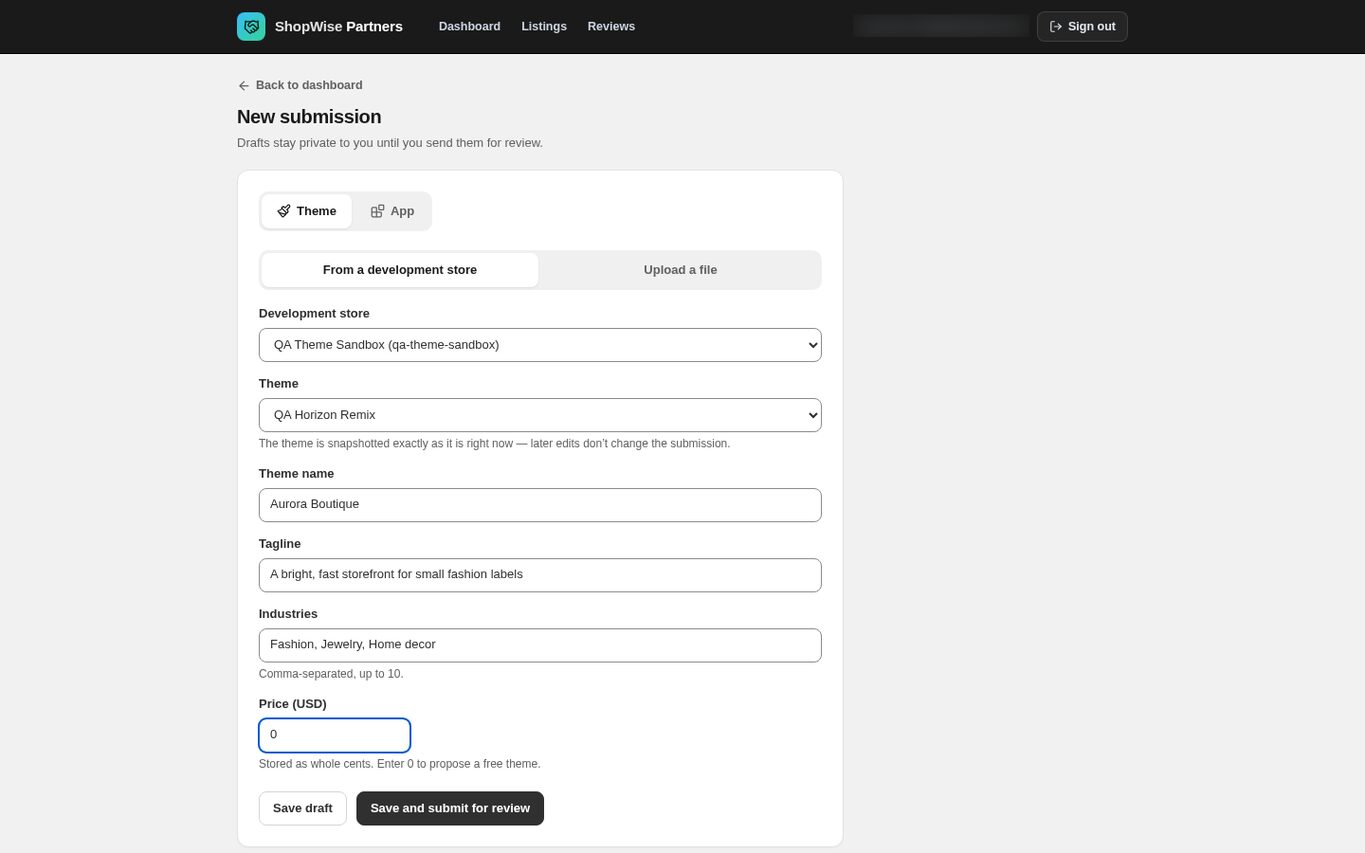
Select From a development store and choose the Development store and the Theme, or select Upload a file and choose the package.
- A development-store selection is snapshotted at save time; later edits in that store do not change the submission.
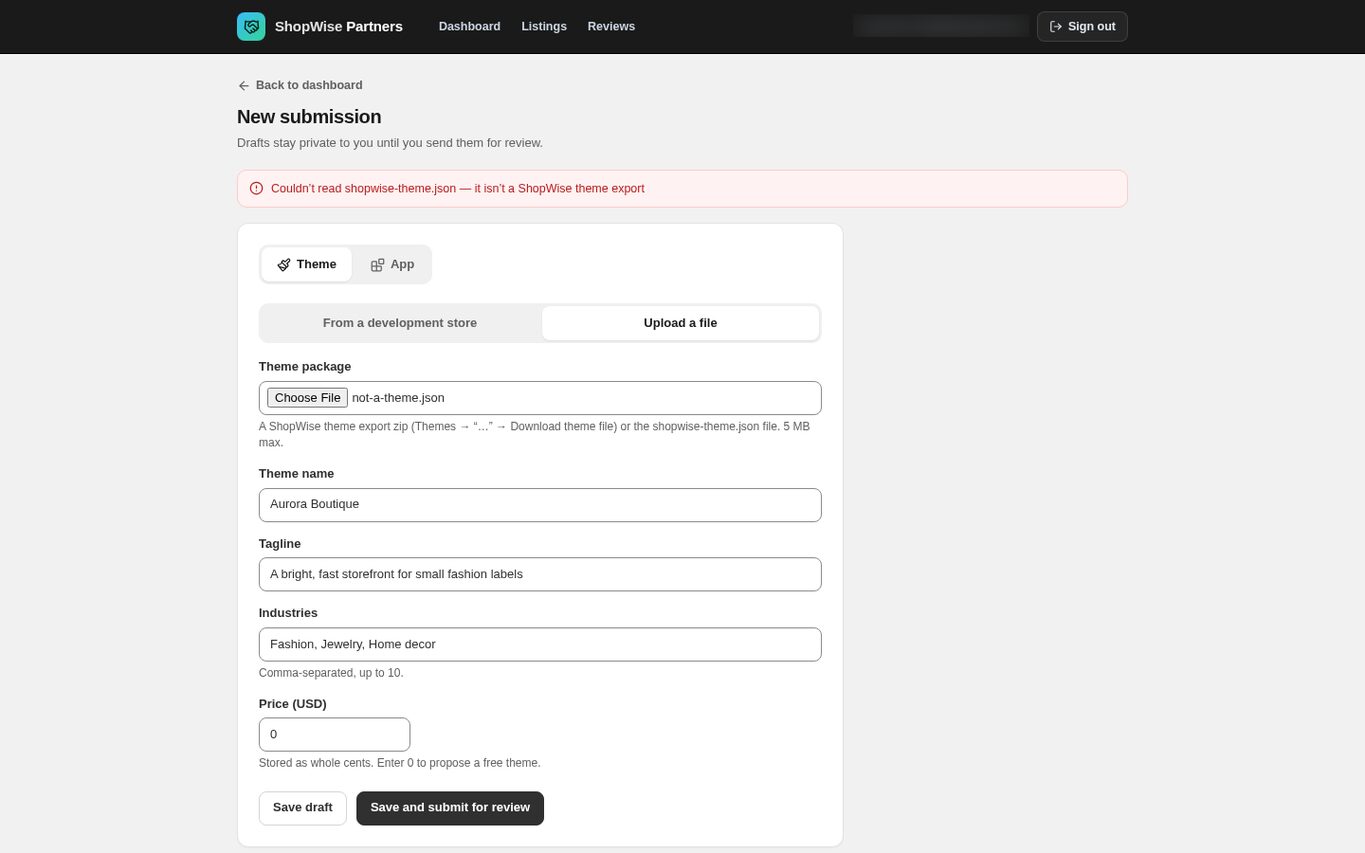
- Upload accepts a Lulu export zip or a bare shopwise-theme.json, up to 5 MB.
Complete the listing details
Enter Theme name (up to 120 characters), Tagline (up to 200), Industries and Price (USD).
- Industries is comma-separated, up to ten entries.
- Price is stored as whole cents. Enter 0 to propose a free theme.
- There is no screenshot, description or feature field on this form; those are filled in on the listing editor after approval.
Check the validation feedback
If the file is not a Lulu package the submission is refused and nothing is saved. The banner names the problem, for example that the file is not a Lulu theme export.
- Fix the file and try again; a refused upload does not leave a draft behind.
Save or submit
Choose Save draft to review the submission first, or Save and submit for review to send it. Either action opens the submission detail page.
- Reviewers see your listing fields plus a summary of the package: the theme name inside it, how many settings it carries, and whether sections and custom code are included.
- Confirm the theme summary, name and proposed price before sending.
CHECK YOUR WORK
You’re ready when…
- The submission contains the intended theme snapshot or package.
- Listing name, tagline, industries and price have been checked.
- You know whether the submission is still a draft.
IF SOMETHING DOESN’T LOOK RIGHT
Troubleshooting
Why did my later theme edit not appear in the submission?
The submission captured a snapshot when it was created. Later development-store edits do not modify it. Send a new submission with the corrected theme.
Why was my upload refused?
The import reads shopwise-theme.json from a Lulu export. A Shopify Liquid archive, an unrelated zip, or a file over 5 MB is rejected with a message naming the reason, and no draft is created.
Why is a control missing or unavailable?
Confirm that you are in the correct store and that your role allows this action. Optional apps and channels may require installation, a plan, or activation. Share the screen name and error with support if access is still unclear.
Keep going
- Partners: edit a theme listing and release an update →
- Partners: build a theme in a development store and export it →
- Partners: review, approval and publication →