Export the current catalog first. Keep an untouched copy for reference.
Export a template
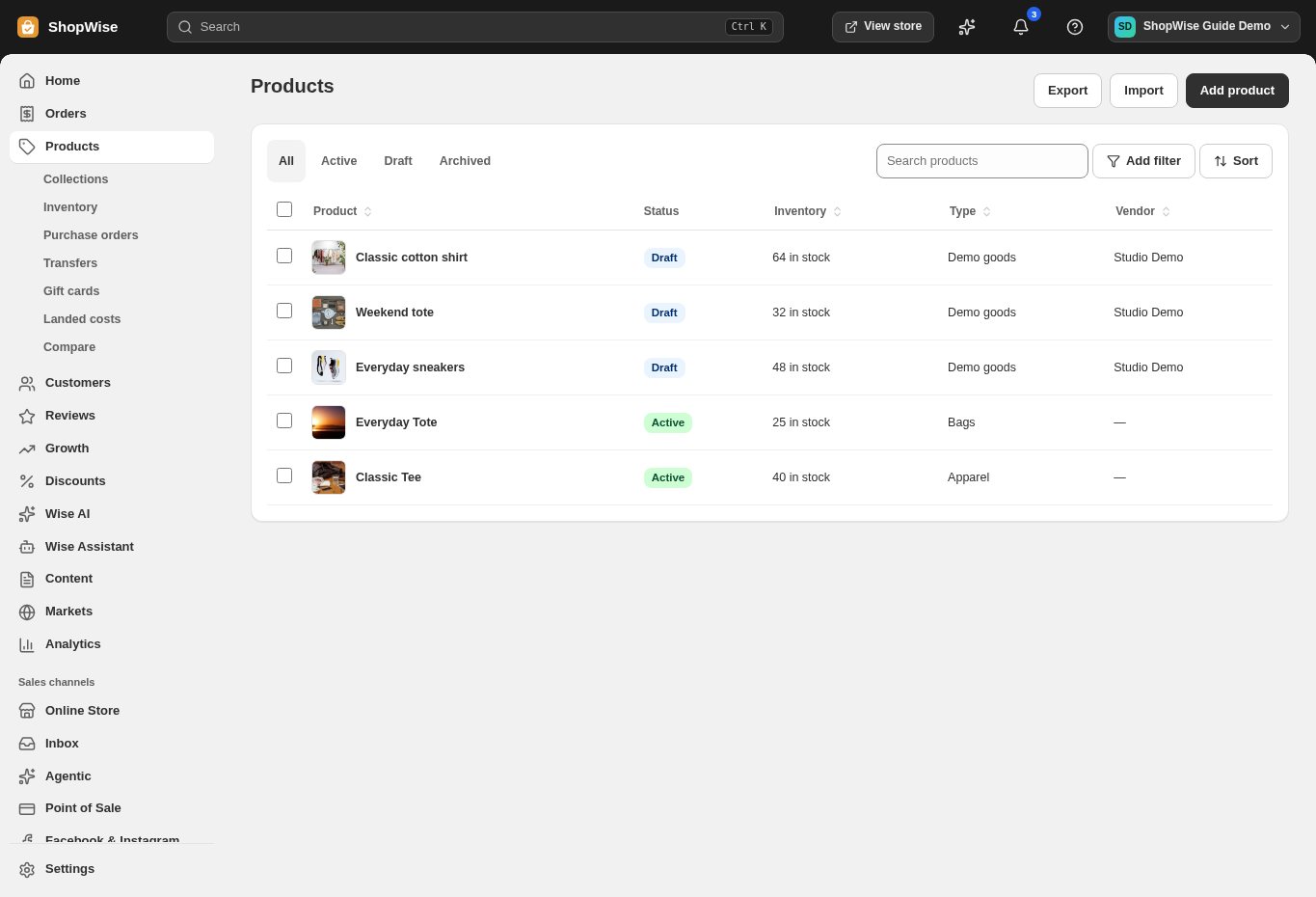
Open Products → Export. Choose the CSV format for your spreadsheet program and download the catalog.
- Keep the column headings unchanged.
- A product with variants can occupy more than one row.
Prepare a small import
Edit a copy of the exported CSV. The importer matches rows by Handle, so preserve handles when updating existing products.
- Keep SKUs and barcodes as text so leading zeros survive.
- Review variant rows, prices, image URLs, and inventory columns.
- Try a few products before a large import.
Review the preview
Choose Products → Import and upload your CSV. Review the preview and any validation messages before choosing Import products.
- Resolve errors in the file and upload it again.
- Do not assume a spreadsheet file is CSV merely because you renamed it.
Inspect the result
Open imported products and verify variants, images, prices, and visibility. Export again if you need to compare the result with your source.
- Preview at least one imported product on the storefront.
CHECK YOUR WORK
You’re ready when…
- The import result has no unresolved errors.
- Sample products match the source file.
IF SOMETHING DOESN’T LOOK RIGHT
Troubleshooting
Why did an import update an existing product?
Rows are matched using Handle. Review the import preview and use a distinct handle for a genuinely new product. Restore individual values from your saved export if necessary.
Why is a control missing or unavailable?
Confirm that you are in the correct store and that your role allows this action. Optional apps and channels may require installation, a plan, or activation. Share the screen name and error with support if access is still unclear.