Prepare an accurate description of the working integration and its requirements. The portal accepts listing proposals, not executable app packages.
Start an app submission
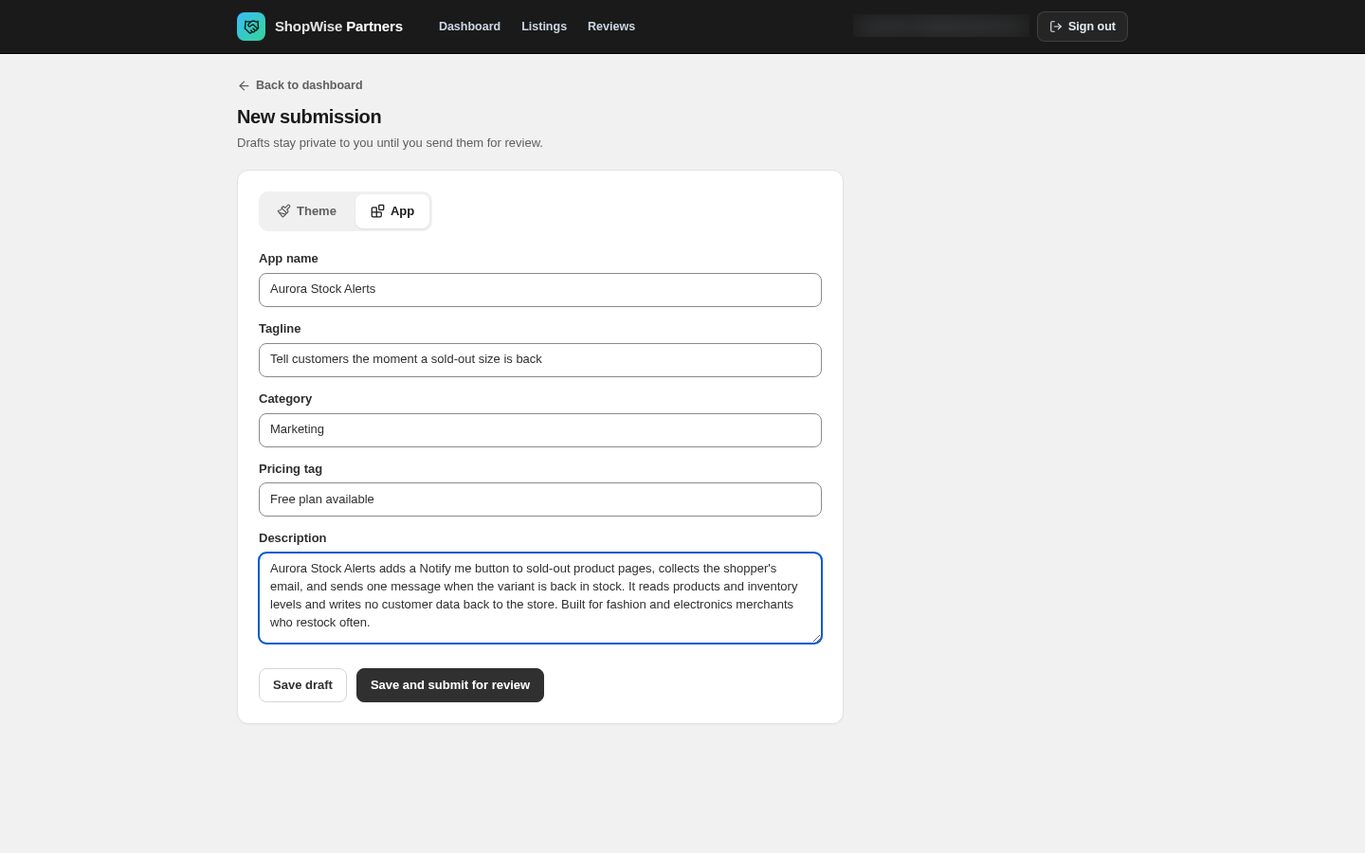
From the dashboard choose New submission, then switch the type selector to App.
- If only Theme is offered, ask Lulu support about app submission access on your account.
Describe the app
Fill in App name, Tagline, Category, Pricing tag and Description. All five are required.
- App name up to 120 characters; Tagline up to 200; Category and Pricing tag up to 80; Description up to 5,000.
- Category is free text, for example Marketing, Shipping or Store design.
- On the published listing the pricing tag is shown as one of four labels: Free, Free plan available, Free to install, or Free trial.
- Say what the app does, who it is for, what store data it reads and writes, and what a merchant needs in place before it works.
Declare permissions and data access in writing
There is no code, package, callback URL, scope or billing-plan field on this form, and no partner endpoint accepts an executable upload. State the permissions and data access your app needs in the Description and agree them with the Lulu team.
- Permissions shown on the merchant's install consent screen, billing plans and theme-editor embeds are configured by Lulu.
- Do not upload app code as a theme package.
- Submitting a description does not deploy or run anything.
Save or submit
Choose Save draft to review the proposal, or Save and submit for review. Follow the status and reviewer notes on the submission detail page.
- A submitted proposal is locked during review.
- Approval inserts the listing into the App Store, owned by your partner account.
Validate before you promote it
Once the implementation and the listing are live, install the app in a development store and test configuration, permission prompts and the customer journey end to end.
- Do not advertise a capability that only exists in the listing text.
CHECK YOUR WORK
You’re ready when…
- The proposal accurately describes the app and the data it touches.
- Implementation, permissions and plans have been agreed with Lulu.
- The review status and next step are clear.
IF SOMETHING DOESN’T LOOK RIGHT
Troubleshooting
Where do I upload my app code?
Nowhere in the partner portal. It accepts listing proposals only. Submit the proposal and coordinate the technical integration with Lulu support. Theme upload is for themes.
How do I set my app's scopes or billing plans?
Not from the portal. Scopes, plans and embeds are configured by Lulu and are not editable in the partner listing editor either. Agree them with the Lulu team.
Why is a control missing or unavailable?
Confirm that you are in the correct store and that your role allows this action. Optional apps and channels may require installation, a plan, or activation. Share the screen name and error with support if access is still unclear.
Keep going
- Partners: account and development stores →
- Partners: edit app listings and restore versions →
- Partners: review, approval and publication →