Review is carried out by the Lulu team. Turnaround times vary and the portal does not show an estimate.
Follow the status
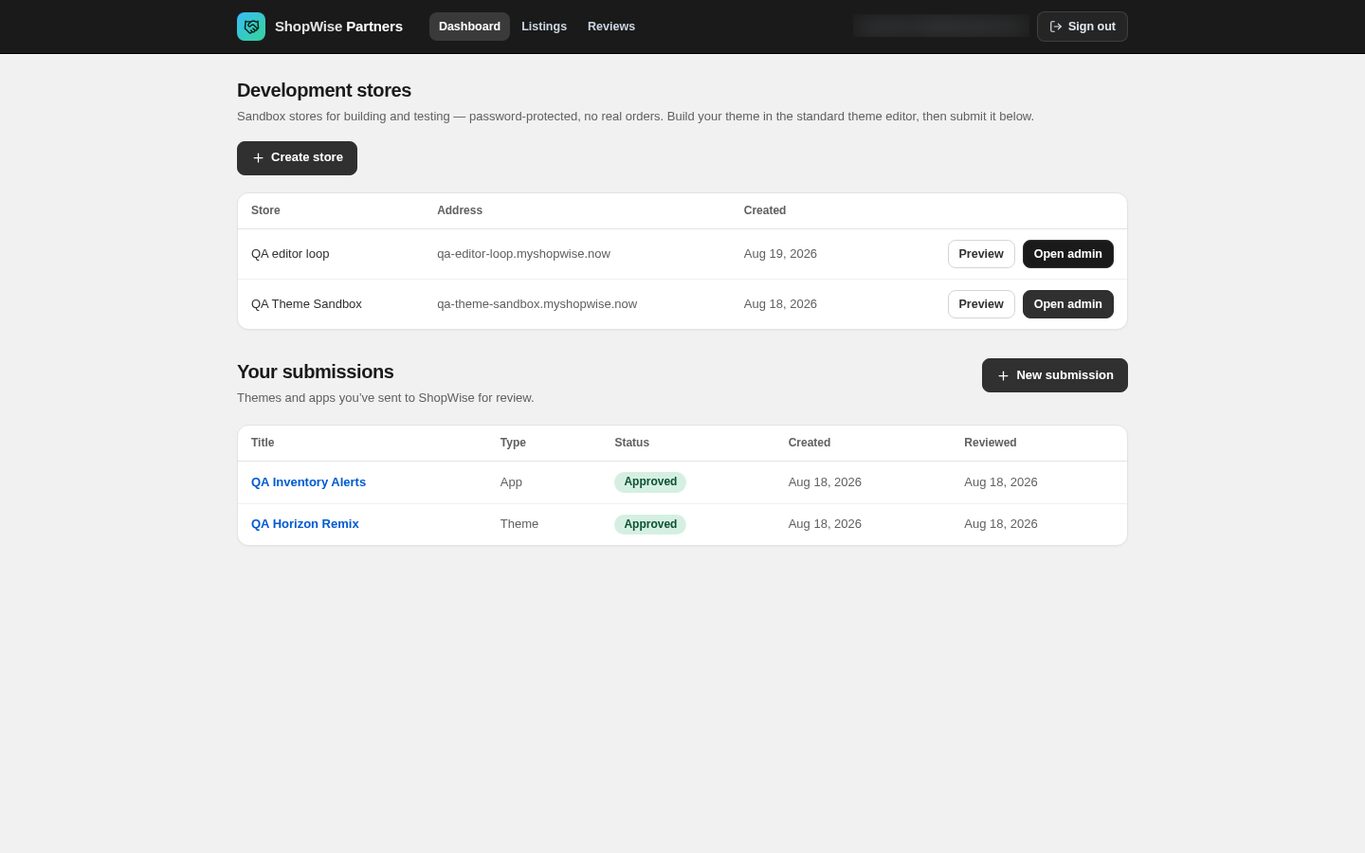
Open the dashboard and read the Status column under Your submissions: Draft, Submitted, In review, Approved or Rejected.
- Draft is private to you. Submitted means it is queued. In review means someone has picked it up.
Read the outcome
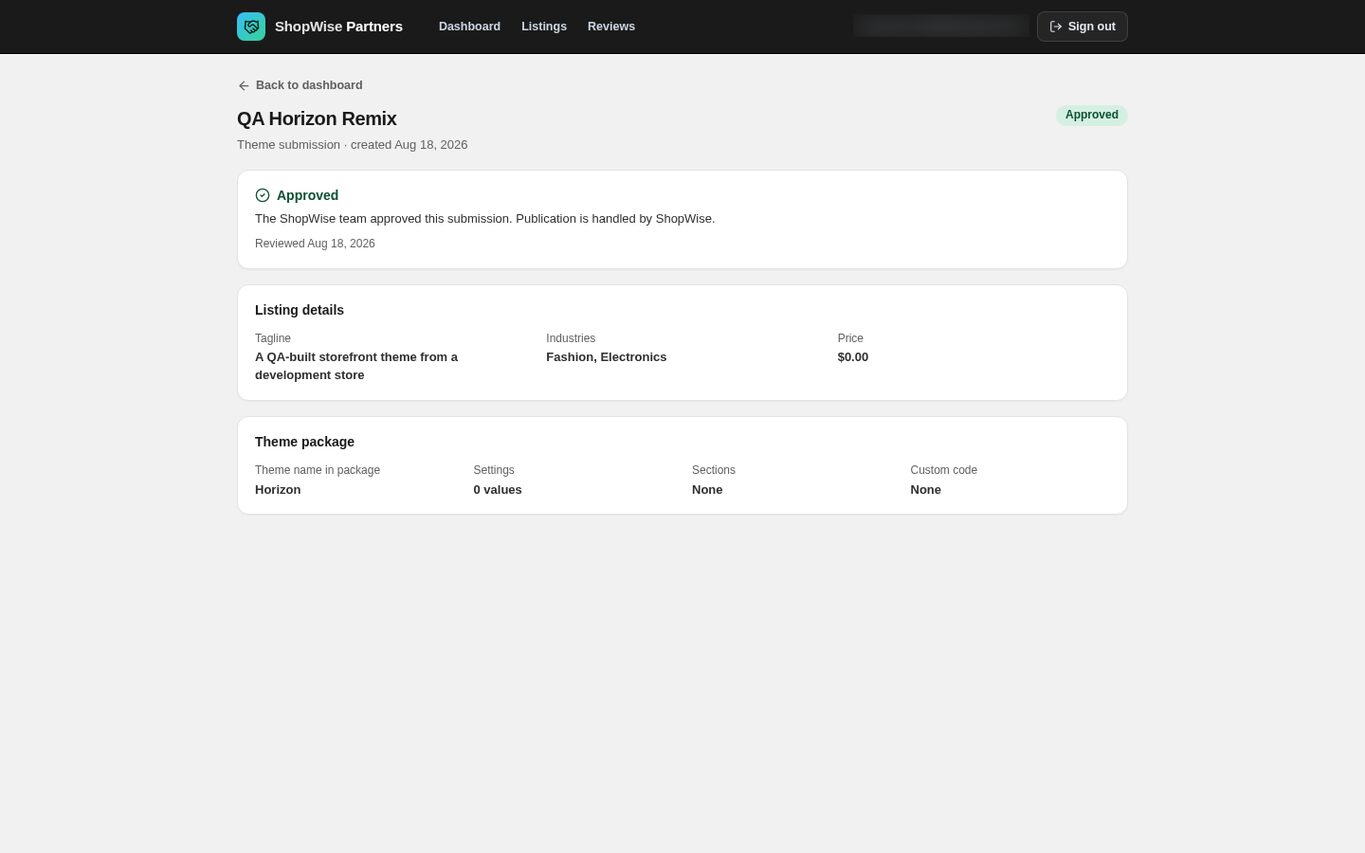
Open a submission to see the reviewer's notes with the decision and the date it was reviewed.
- A rejection always carries notes explaining what has to change.
- A submitted item is locked while it is reviewed; the detail page is read-only and there is no editor for a submission in flight.
Understand what approval does
Approval publishes. A theme becomes a Theme Store listing on themes.lulu.us.com; an app becomes an App Store listing on apps.lulu.us.com and in every merchant's in-admin app browser.
- Your partner account owns the published row, which is what puts it on the Listings page.
- A partner app is marked as a partner listing, so it is never presented as a built-in Lulu feature.
- There is no separate publish button for you to press.
Correct a rejected submission
Create a new submission with the corrections and send that one. There is no resubmit action on a rejected row.
- Keep the reviewer's notes to hand so the new submission answers each point.
Know what is not reviewed again
Only the initial submission is reviewed. After approval, listing edits save live, and a replacement theme package is published immediately without a second review.
- Treat every post-approval save as a release to merchants.
CHECK YOUR WORK
You’re ready when…
- You can read the current status and any reviewer notes.
- You know that approval publishes automatically.
- You know that later edits are not re-reviewed.
IF SOMETHING DOESN’T LOOK RIGHT
Troubleshooting
How long does review take?
Review is done by the Lulu team and times vary. The portal shows no estimated turnaround. Contact Lulu support if a submission has been waiting unusually long.
My submission is approved but I cannot find the listing.
Open Listings in the partner portal. Themes and apps you own appear there with a View link to the public page. If it is missing, contact Lulu support with the submission title.
Why is a control missing or unavailable?
Confirm that you are in the correct store and that your role allows this action. Optional apps and channels may require installation, a plan, or activation. Share the screen name and error with support if access is still unclear.
Keep going
- Partners: upload and submit a theme →
- Partners: edit a theme listing and release an update →
- Partners: submit an app listing →